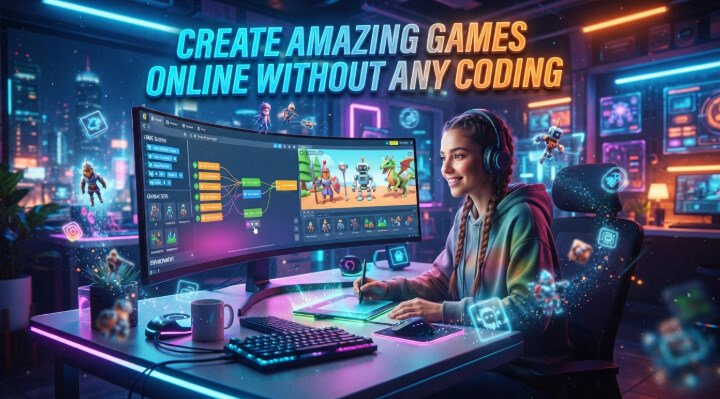
Have you got a game idea you’re dying to get working on but can’t quite figure out where to start? You’re not alone. It’s daunting to begin with game development, especially when programming, unfamiliar software, and the technical configuration appear to be the most significant obstacles. Astrocade is a bit friendlier place to start.
This tutorial shows you how to make and share your own game, step by step. You’ll learn how to take an idea, shape it, build the characters and features, test it out, and publish it so others can play all without struggling with cryptic code. When you finish, you’ll be able to follow a doable trail from vague idea to finished game.
Create Without Coding
Developing a game was once the province of programmers who had a good grasp of the complex software and a lot of time to hunt down bugs. Visual game-making tools have helped make the process a lot more approachable. Most game engines allow you to create levels, characters, objects, and gameplay through menus, pre-built templates, and drag-and-drop features. That means you can spend more time working on your ideas and less time writing code.


No-code and low-code game platforms are an amazing resource for beginners, educators, content creators, and even those just interested in dipping a toe into game design. You could, for example, create a simple platformer in which a character jumps over obstacles and collects coins. Instead of writing every action from scratch, you can use pre-built actions and modify them to fit your game.
Choose Game Tools
Game development can be made a lot easier with the right tools but you don’t have to go out and buy a complete toolkit. Begin by thinking what kind of game you want to create. A platformer might need moving characters, levels, obstacles, and collectibles; a puzzle game might be concentrated on logic, interactive objects and visual design. You can pick tools according to your project is doable.
Look for things like visual editing, templates, asset libraries, animation support, sound effects, game physics, and one-click publishing.Certain platforms even have tutorial and forum sections where newbies can have their questions answered about any stumbling blocks they might encounter. Before you commit to a tool, check to see if it does produce the type of game you want to create, and that you can export your final project to the platform on which you want your players to play.
Design Your Game
Good game design begins with a simple concept. For your first game, you don’t need a huge map, hundreds of characters, or a complex storyline. Instead you want to determine what players will be doing, what makes it difficult, and what they are trying to achieve.
A straightforward gameplay loop could be just move, pick up items, avoid bad guys, and get to the destination. Once you have the base idea, you can begin constructing your game world Use levels, backgrounds, characters, items, and special effects to create an environment that complements gameplay. Make your first level small so you can test it fast. While you learn what works and what doesn’t work, you can expand the project creating new levels, mechanics, and Keep your first level small so it runs fast.
Add Fun Features
When you are happy with the core gameplay, you can add some interactive elements to your project. You can add coins, power-ups, enemies, checkpoints, timers, scoring systems, achievements, or multiple levels of difficulty. All of these can give players a reason to want to explore and play the game. A feature doesn’t have to be big to be influential if it enhances the core gameplay.
Sound and visual feedback also enhance the experience. A cool sound when a player picks up an item, or a small animation after a challenge, can bring a lot of life into a game. However, you should only add features if they are necessary. Every feature you add to the game must have a purpose, and should either make the game easier to play, more fun to play, or more compelling for the player.
Publish Your Game
Once your game is ready, give it a thorough test before sharing it. Check the controls, menus, levels, scoring, sound, and restart options. Then ask a friend to play without explaining how anything works. Their questions and reactions may reveal problems you’ve missed.
The easiest way to publish is often through a platform with built-in sharing or export tools. Depending on what it offers, you can share a link to your browser game or export it for use on other devices. Choose a clear name, create an appealing thumbnail, and write a brief description of what players can expect. A well-presented game is easier for people to find and try.
See also:
Conclusion
Game development is now something you can do without years of coding knowledge and complex software. You get something like this, which is pretty good, because the takeaway is that you can turn a simple concept into an interactive experience by making your own characters and levels, game mechanics, and play-testing it bit by bit. So, beginning with a small project will help keep it manageable as you learn the ins and outs.
When you are, you can have fun with new mechanics, new visuals, sounds, new challenges, new everything. Don’t freak out if your first game is a Roblox Pickaxe Swing Escape Spectacular. Just focus on finishing, learn from the experience, and have a go at an even bigger project.
FAQ’s
What type of games can I create?
It depends on which platform you choose. Beginners can often create platformers, puzzle games, arcade games, adventure games, educational games and many other kinds of interactive experiences.
Is a game builder suitable for beginners?
These tools are designed to simplify game creation, making them a great starting point for beginners with no coding experience. As you gain confidence, you can move on to more advanced options.
Can I publish a game I create online?
Many platforms have the option to share/deploy your finished game on the web. You can either share a play link, publish a browser game or export your project for devices, depending on the software.
How long does it take to make a game?
Most platforms allow you to share or publish your finished games online. You can either publish a web game, export your project to a particular device type or share a playable link, depends on the tool.